


Quick Answer
TimeWarp TaskUs is a proprietary, strictly confidential internal workforce management (WFM) portal built exclusively by TaskUs for its 60,000+ global employees. It handles time tracking, shift scheduling, task routing, and payroll syncing across 28 delivery sites in 12 countries. It is not a public product. There is no subscription tier, no app store listing for general users, and no sign-up page anywhere on the public internet.
What Is TimeWarp TaskUs? Separating Fact from AI Fiction
Let’s start by addresses a massive blunder that dominates the first page of Google.
If you search the exact phrase “timewarp taskus” right now, the top competitor results—including tech blogs like TechPluto, Quarule, and various automated content scrapers—describe it as a “publicly available SaaS productivity tool with an 80s retro aesthetic that any startup can buy.”
This description is completely fabricated. It is a classic case of AI hallucination that has been blindly copied, spun, and republished across multiple domains.
In reality, TimeWarp TaskUs is an internal, proprietary enterprise platform built by TaskUs’s in-house engineering team for its global workforce. It has never been commercialized, licensed, or made available to external parties. There is no public pricing matrix, no commercial marketing page, and no Google Chrome extension that functions without active corporate credentials behind it.
Core Operational Architecture
At its core, the platform serves as the central operational heartbeat for the company’s delivery sites. It processes data across six fundamental vectors:
- Time Tracking: High-precision, timestamped clock-in/clock-out mechanisms with integrated lunch and short break logging.
- Shift Scheduling: Automated roster distribution based on real-time campaign requirements, featuring automated manager override flags.
- Task Routing: Dynamic distribution of client work queues across frontline agents based on skill-mapping and current ticket volumes.
- Performance Dashboards: Live, granular KPI monitoring allowing frontline agents and Team Leads (TLs) to track campaign health.
- Payroll Syncing: Direct data pipeline that pushes verified attendance records straight into regional compensation engines.
- ServiceNow (SNOW) Integration: Native hooks into internal IT ticketing queues to resolve immediate access discrepancies.
With TaskUs managing an enormous footprint of over 60,000 active team members across 28 sites in 12 countries (including major hubs in the US, Philippines, India, and Europe), the scale of data is massive. Every single day, this infrastructure captures millions of operational touchpoints.
If an outside enterprise is looking for a workforce management tool, they must look at commercial alternatives like Workday WFM, NICE IEX, or Verint. This platform is closed to the public.
Step-by-Step Employee Login & Access Protocol
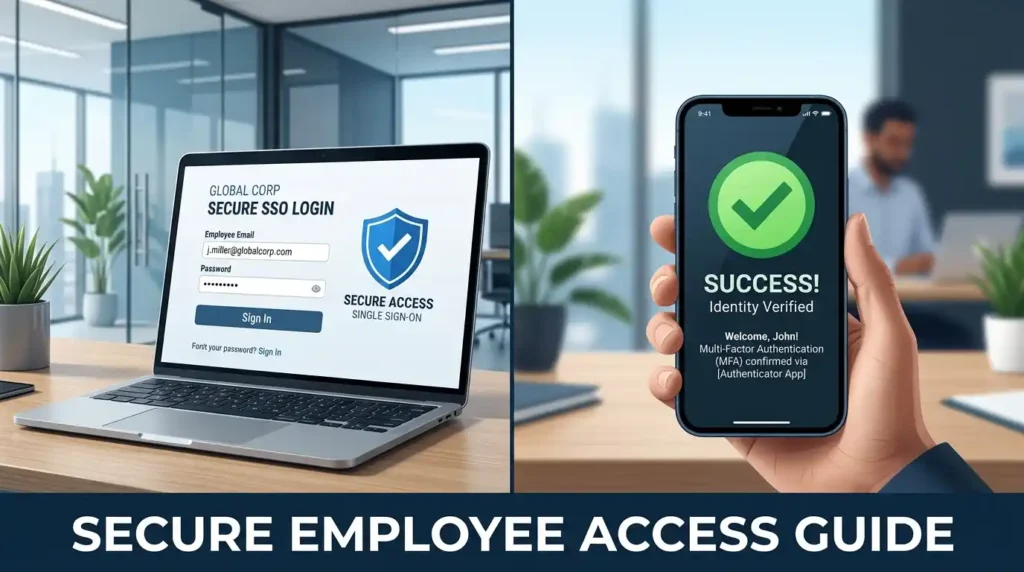
Gaining secure entry to your daily workspace dashboard requires adherence to strict corporate network protocols. There are zero workarounds or bypasses for this sequence.
1.Establish Corporate Network Connection:Mandatory Pre-requisite.
If you are working remotely or in a hybrid model, fire up your corporate machine and launch your assigned VPN client (such as Cisco AnyConnect or GlobalProtect). Select your assigned regional gateway and authenticate. The portal is completely hidden from the open internet; without an active corporate network tunnel, the server will drop your connection.
2.Navigate to Your Regional Gateway URL:Internal DNS Only.
Open an enterprise-approved browser (Google Chrome or Microsoft Edge are highly recommended). Enter your region-specific endpoint. While the Singapore cluster (sg.timewarp.taskus.com) is heavily utilized, your onboarding documentation contains your exact geographical node.
3.Input Enterprise SSO Credentials:Single Sign-On Authentication.
On the secure identity page, enter your official corporate email address (username@taskus.com) and your current network password. Do not attempt to use personal recovery accounts or cached personal credentials.
4.Execute PingID Multi-Factor Authentication:Cryptographic Handshake.
Once your credentials clear, the system will pause and trigger an explicit push notification to your registered mobile device via the PingID application. Swipe to approve or enter the rolling cryptographic token code to unlock your dashboard.
Setting Up TaskUs PingID Multi-Factor Authentication (MFA)
You must complete your identity pairing during your initial onboarding window, not five minutes before your first live production shift.
[Employee Device] —> Generates Time-Based Token (TOTP)
|
Must Match Within +/- 30 Seconds
|
v
[TaskUs Auth Server] —> Grants TimeWarp Portal Access
The PingID platform utilizes Time-Based One-Time Password (TOTP) cryptography. This means the rolling passcode generated by your phone relies entirely on your device’s internal clock matching the precise time on the enterprise authentication server. If your phone’s clock drifts by even 60 seconds, the generated tokens become mathematically invalid, triggering a continuous authentication loop.
To prevent this cryptographic desynchronization, you must force your mobile operating system to pull network-synchronized time:
- On Android Devices: Navigate to Settings > General Management Date and Time > Toggle on Automatic date and time.
- On Apple iOS Devices: Navigate to Settings > General > Date & Time > Toggle on Set Automatically.
Critical Warning on Token Management: Never attempt to bypass authentication failure by leveraging a coworker’s device or sharing access codes via internal communication tools. This behavior triggers immediate InfoSec compliance alarms and can result in formal disciplinary action.
Troubleshooting Common TimeWarp Errors & SNOW Tickets
When the platform encounters network blocks or synchronization anomalies, use these structured troubleshooting procedures before escalating the issue.
Fixing the “Page Cannot Be Reached” Error on timewarp taskus
This is the single most common error encountered by remote agents. It almost always points to a broken local network route rather than an actual server outage.
- Verify the VPN Tunnel: Disconnect from your corporate VPN, wait 15 seconds, and reconnect. Ensure the client states “Connected” and shows active data packets moving through the tunnel.
- Perform a Local DNS Flush: Residual local routing tables can lock onto stale IP paths.
- On Windows: Open Command Prompt as Administrator and execute ipconfig /flushdns.
- On macOS: Open Terminal and execute sudo dscacheutil -flushcache; sudo killall -HUP mDNSResponder.
- Isolate the Browser Environment: Clear your browser’s entire cache and cookies for “All Time,” or open an Incognito/InPrivate window to eliminate corrupted local session tokens.
Resolving PingID Token Code Desyncs
If your mobile app opens but the push notifications fail to arrive or the typed codes are repeatedly rejected as invalid:
- Check your device’s cellular or Wi-Fi connectivity. If your phone has poor reception, push notifications will stall. Switch to the manual 6-digit passcode option within the app.
- If you have replaced your mobile hardware or formatted your device, your unique cryptographic pairing key is lost. You cannot fix this locally. You must open an internal ticket to clear your old device profile.
Handling Missed Clock-outs & Preventing Automated Payroll Deductions
Because attendance data drives the compensation engine directly, an unresolved “open punch” (forgetting to clock out or facing a system crash at shift end) can disrupt your pay cycle.
If you encounter an unrecorded shift change or an application crash during a punch event, follow this exact escalation matrix immediately:
| Step | Action Required | Deliverable / Audit Trail |
| 1 | Capture Contextual Evidence | Take a full-screen screenshot showing your local system clock, the error screen, and your active VPN state. |
| 2 | Submit Self-Service Correction | Navigate directly to the Attendance Exception tab inside the portal and submit a retroactive adjustment request. |
| 3 | Log Formal Technical Ticket | Open a formal ticket in ServiceNow (SNOW) under Payroll / Time Correction Management. |
Note: Sending an informal text or Slack message to your Team Lead does not create a valid corporate audit log. If a payroll discrepancy occurs, the payroll processing team will look for an official SNOW ticket ID. Always back yourself up with a system ticket.
Verified Platform Timeline, Features, and Known Limitations
Feature & Impact Matrix
The following matrix outlines how specific functional blocks inside the infrastructure interact directly with employee workflows and compensation.
| Functional Component | Direct Operational Utility | Direct Impact on Employee Payroll |
| Time Tracking Module | Logs shift starts, exact meal breaks, and wrap-up times. | High: Primary source data used to calculate regular hours and overtime. |
| Roster Distribution | Publishes seasonal and weekly schedules from workforce management. | Medium: Dictates shift differential pay and holiday premiums. |
| Intelligent Routing | Tracks real-time queue states and pushes client cases to available agents. | Low: Directly influences performance metrics, which impact quarterly bonuses. |
| SNOW API Link | Allows automated logging of tech errors during a shift. | High: Prevents unauthorized pay deductions during widespread system outages. |
Employee Feedback & Known System Limitations
A objective analysis of employee feedback reveals that while the platform provides massive operational clarity, it also introduces specific friction points.
The exact nature of timewarp taskus tracking granularity concern centers heavily around how meticulously the platform monitors log states. On public employee review platforms like Glassdoor, some agents express frustration regarding the rigid metrics tracking, noting that being a few minutes late on a break toggle can immediately trigger an auto-flagged exception. In high-velocity client campaigns where strict Service Level Agreements (SLAs) rule, this strict accountability is essential for client retention, though it requires a structured adjustment period for new hires.
Beyond tracking granularity, employees frequently highlight three specific systemic behaviors:
- High-Traffic Sync Lag: During massive shift change windows (such as the end of a bi-weekly pay cycle), the dashboard may take up to 30 minutes to update and show newly submitted data.
- Total MFA Dependency: Because security protocols are absolute, if the underlying identity infrastructure faces a regional disruption, all access halts. There is no low-security fallback gateway.
- Dashboard Navigation Density: The user interface packs an immense amount of metrics, tool links, and policy updates into a single screen. New hires typically report that it takes two full weeks of active daily use to navigate the layout naturally.
Despite these system friction points, TaskUs maintains a highly competitive overall employee satisfaction rating of approximately 4.3 out of 5 stars on independent career platforms. The system’s friction is generally viewed as a necessary component of running secure, high-compliance global operations.
Why Global BPOs Build Proprietary Tech Architecture
The decision to allocate significant capital to build custom internal tooling rather than purchasing a standardized commercial platform comes down to regulatory compliance and integration scaling.
TaskUs operates across complex global industries including healthcare, financial technology (fintech), e-commerce, and high-stakes content moderation. Each sector brings strict global legal boundaries:
- Healthcare Campaigns: Must comply fully with HIPAA regulations regarding patient data security.
- Fintech Projects: Require strict PCI-DSS compliance layers to safeguard global financial accounts.
- European Operations: Must operate completely within the data privacy guardrails of GDPR.
Deploying a third-party commercial software package across thousands of workstations means relying entirely on an outside vendor’s development roadmap to patch security holes or implement custom data isolation walls. By building internally, the enterprise can embed these absolute compliance layers directly into the application’s source code.
Furthermore, deep application integration is paramount. The platform does not run in isolation; it maintains continuous, bi-directional data pipelines with the company’s core infrastructure:
[Workday HR & Compensation]
^
|
[ServiceNow IT] <—> [TimeWarp Core Engine] <—> [Slack Communications]
|
v
[Asana Project Framework]
A third-party tool would require custom API middleware connectors for every single one of these platforms, creating a fragile tech stack prone to breaking during vendor updates. A unified, custom-built application ensures that when an agent logs out, the data updates their HR profile, logs their productivity metrics, and registers their availability status across the company’s internal ecosystem instantly and securely.
Conclusion
Your record inside TimeWarp TaskUs is the definitive, legal source for your compensation. Every shift punch, every break log, and every correction ticket you file forms the data set that dictates your final payroll output.
For frontline team members navigating daily access issues, remember the operational sequence: confirm your corporate VPN connection first, verify your mobile device’s time synchronization settings second, and if errors persist, log a formal ticket in ServiceNow immediately. Keeping a clear system audit trail is the absolute best way to protect your time and your hard work.
