

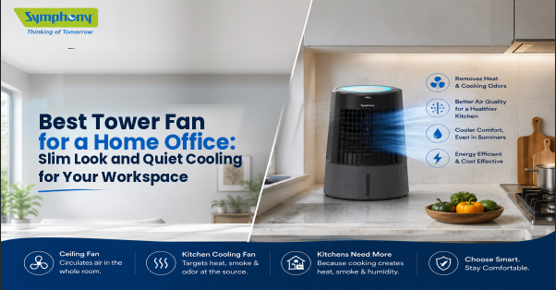
A tower fan works well in a home office when you want steady airflow without using much floor space. Place it beside your desk, not on it. Symphony’s Surround B has a 25 x 32 cm footprint, seven speeds, a 25 ft air throw, and low-noise operation.
The Surround-I has the same slim footprint, remote control, and 90° swivel action. Both are bladeless tower fans, but they are fans, not water-based air coolers.
Are Tower Fans Good for a Home Office?
Yes, especially when your work area is small. A pedestal fan can take up more usable space across the desk or chair. This is where a tower fan is different, as it is tall and narrow. Hence, it can stand beside a table or in a corner.
That matters in a home office, where wires, a chair, storage, and a desk already use much of the floor. Symphony’s current tower-fan collection also highlights slim design, low noise, oscillation, and low power use.
1. What is the best place to keep a Tower Fan?
Keep the tower fan in close proximity to your work desk. Ensure the air outlet is facing your sitting position. Never hide it behind a curtain or cabinet. It needs open space in front so the airflow can reach you.
If two people share the room, oscillation helps move the breeze across a wider area.
2. Which Tower Fan Is Quiet for Work?
Noise matters a lot while you are calling someone, attending online classes, and doing focused work. It is not imperative for the fan to be completely noise-free. But it should not become the main sound in the room.
The Surround B is a low-noise model with whisper-quiet performance. The fans operate at low noise but are not completely silent. That is a more realistic way to judge any fan.
The Surround B uses a BLDC motor and gives you seven speed settings. A lower setting can work well during meetings, while a stronger setting can help on a warmer afternoon.
3. Do More Speeds Help in an Office?
Yes, if you like to adjust airflow often. You may want a light breeze while typing and stronger air later in the day.
The Surround B has an air throw of up to 25 ft and is rated at 82W on its current product page. These details are useful if the fan will run for several hours while you work.
4. Is a Bladeless Tower Fan Better for a Desk Area?
A bladeless design can make sense around a busy desk because there are no exposed spinning blades. It also gives the fan a clean, simple look.
Symphony’s Surround-i uses Bladeless Turbo Throw technology. Its dimensions are 25 x 32 x 112 cm, and it comes with a remote. It provides automatic lower movement, and its swivel action moves 45 degrees left and 45 degrees right, thereby providing 90-degree movement in all directions.
If you are searching for the best bladeless tower fan, look beyond the design. Check air throw, controls, power use, and noise too.
Is a Tower Fan the Same as a Tower Air Cooler?
No. A cooling tower fan moves the air already in the room. A tower air cooler uses water and evaporation to cool incoming air. Symphony clearly states on its Surround product pages that these models are tower fans, not air coolers.
Search terms can make this confusing. Try something with phrases like cooler fan, tower cooler, air cooler fan, cooling fan tower, or air cooler tower fan while shopping on Symphony’s website. Never assume they all mean the same product.
Check for a water tank. If the appliance needs water for cooling, it is an air cooler. If it simply uses a blower to move room air, it is a fan.
That difference also affects the cooler fan price you see online. Prices for tower fans and air coolers should not be compared as if they are the same product.
1. Is Remote Control Useful While Working?
Yes. It lets you change the airflow without leaving your chair.
The Surround-I has a remote control for fan speed and swivel action. Surround B also comes with a multifunction remote and touch controls. This can be handy during calls or focused work.
A remote is not essential for everyone. Symphony’s smaller Surround Junior uses knob controls and has no remote.
2. Mention the space that a Tower Fan Requires for Optimal Functionality.
Check the base size, not just the height. The Surround B and Surround-i both have a 25 x 32 cm base. The Surround Junior is smaller at 20 x 24 cm.
Measure the spot beside your desk before ordering. Leave enough room for swivel movement and make sure your chair cannot hit the unit.
Also, keep the fan on the floor. “Desk cooling” means cooling the area around your desk, not putting a tall floor-standing fan on the desktop.
3. How Much Does a Home Office Tower Fan Cost?
Prices change with offers. When checked on Symphony’s current store, the Surround Junior was listed at ₹4,591, the Surround-i White at ₹7,791, and the Surround B at ₹9,491.
Do not pick by price alone. A lower price may mean knob controls instead of a remote or fewer control options.
If you search for best tower fan India, decide what “best” means for your desk. For calls and long work hours, low noise and speed control may matter most. For a tight corner, size may come first.
Final Thoughts – What Should I Buy – A Tower Cooler or a Tower Fan?
In case you want a water-based appliance that cools incoming air via evaporation, you should buy tower cooler models from the air-cooler category of the Symphony website. These need a water tank and work differently from tower fans.
If you mainly want slim airflow beside your desk, choose a tower fan instead. It is easy to place, needs no water, and provides direct room-air circulation.
Before buying, check five things: base dimensions, noise, speed settings, air throw, and control type. Add oscillation if the room is shared.
For a compact office, Surround Junior has the smallest footprint of the three models discussed here. If quiet operation and more speed control matter most, Surround B is the stronger fit on paper.
If you prefer remote control with 90° swivel action, Surround-i is another practical choice. Compare the features you will use every day rather than choosing only by price or a label such as cooler fan.
