

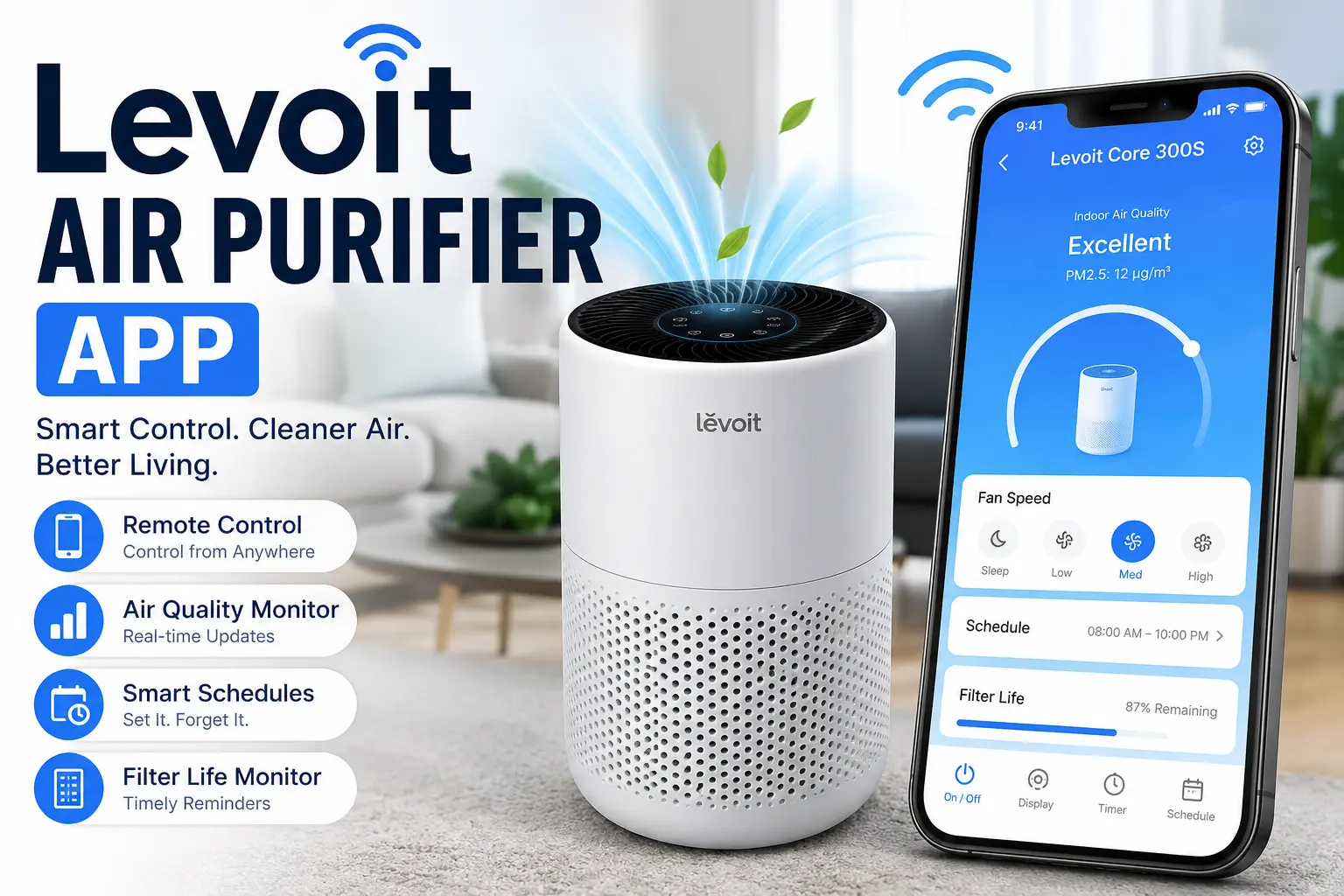
Indoor air quality has become more important than ever. Dust, pollen, pet hair, smoke, and other airborne particles can affect both comfort and health. While an air purifier helps remove these pollutants, controlling it through a smartphone makes the experience even better. The levoit air purifier app gives users an easy way to manage their purifier from anywhere while providing helpful insights into indoor air quality.
Whether you’re at home, at work, or traveling, the app lets you monitor and adjust your purifier with just a few taps. Instead of walking over to the device every time you need to make a change, you can handle everything directly from your phone.
In this guide, you’ll learn how the app works, its most useful features, how to set it up, and practical tips for getting the best results.
Why a Smart Air Purifier Makes Daily Life Easier
Traditional air purifiers usually rely on physical buttons or a remote control. Although these methods work, they lack flexibility. A smart purifier connected to an app gives you much greater control over your indoor environment.
With mobile access, you can:
- Turn the purifier on or off remotely.
- Change fan speeds instantly.
- Create automatic schedules.
- Monitor filter life.
- View indoor air quality updates.
- Receive maintenance reminders.
These features make air purification more convenient while helping your purifier run efficiently throughout the day.
How the Levoit Air Purifier App Works
The levoit air purifier app connects your compatible purifier to your home’s Wi-Fi network. Once connected, the app communicates with the purifier in real time.
After pairing the device, your smartphone becomes a complete control center. Instead of relying only on the purifier’s control panel, you gain access to advanced settings that improve customization.
The connection process usually takes only a few minutes when following the setup instructions carefully.
Key Features That Improve Everyday Air Quality
The app offers several practical tools designed to simplify air purifier management.
Remote Device Control
One of the biggest advantages is remote operation. If you forget to turn your purifier on before leaving home, you can simply open the app and activate it.
Likewise, if you’re returning from work, you can start cleaning the air before you arrive.
Real-Time Air Quality Monitoring
Many compatible models include built-in sensors that detect changes in indoor air quality.
The app displays current air conditions, allowing users to understand when pollution levels rise due to cooking, cleaning, or outdoor smoke entering the home.
This information helps you make smarter decisions about purifier settings.
Adjustable Fan Speeds
Different situations require different airflow levels.
For example:
- Low speed works well while sleeping.
- Medium speed handles everyday use.
- High speed quickly cleans the air after cooking or during allergy season.
Changing speeds through the app is simple and immediate.
Personalized Schedules
Scheduling is one of the most valuable features available.
You can create routines such as:
- Running the purifier before waking up.
- Lowering the fan speed at bedtime.
- Increasing airflow during busy daytime hours.
- Turning the purifier off while everyone is away.
Automation reduces manual adjustments and saves energy.
Filter Life Tracking
Every air purifier filter eventually needs replacement.
Instead of guessing when it’s time, the app tracks filter usage and notifies you when replacement is approaching.
This helps maintain strong purification performance while preventing unnecessary filter changes.
Simple Steps to Connect Your Purifier
Setting up the levoit air purifier app is straightforward for most users.
Follow these basic steps:
- Install the application on your smartphone.
- Create or sign into your account.
- Plug in your compatible purifier.
- Enable Wi-Fi on your phone.
- Put the purifier into pairing mode.
- Follow the in-app connection instructions.
- Name your purifier for easy identification.
Once connected, your purifier becomes available for remote management.
Everyday Benefits of Using the Mobile App
Using the app provides advantages beyond simple convenience.
Better Energy Efficiency
Instead of running your purifier all day, you can schedule operation only when needed.
This reduces electricity usage while still maintaining clean indoor air.
Improved Allergy Management
People with seasonal allergies often benefit from continuous air monitoring.
If indoor air quality begins to decline, the purifier can quickly increase performance, helping reduce airborne allergens.
Convenient Control for Families
Multiple household members can manage the purifier without needing to adjust physical controls.
This flexibility makes daily operation much easier for everyone.
Helpful Maintenance Notifications
The app reminds you when routine maintenance is needed.
These alerts help keep the purifier working efficiently throughout the year.
Helpful Tips for Better Performance
To get the most from your purifier, consider these simple practices:
- Place the purifier away from walls and furniture.
- Keep doors and windows closed during heavy outdoor pollution.
- Replace filters on schedule.
- Vacuum regularly to reduce dust buildup.
- Clean the purifier’s air intake when needed.
- Update the app whenever new versions become available.
These small habits can noticeably improve purification performance.
Common Problems and Easy Solutions
Even smart devices occasionally experience connection issues.
Wi-Fi Connection Drops
If the purifier disconnects:
- Check your internet connection.
- Restart the purifier.
- Restart your router.
- Reconnect the device through the app.
Most connection problems are resolved within minutes.
Device Not Appearing
If the purifier doesn’t show up:
- Confirm it supports app connectivity.
- Make sure pairing mode is active.
- Verify your phone is connected to the correct Wi-Fi network.
Repeating the setup process usually fixes the issue.
Delayed Commands
Sometimes commands may take a few seconds to process.
This often happens because of temporary internet delays rather than problems with the purifier itself.
Who Can Benefit the Most?
The app is useful for many different households.
It is especially valuable for:
- Families with children
- Pet owners
- Allergy sufferers
- People living in cities
- Remote workers
- Smart home enthusiasts
Each group benefits from easier air quality management and greater convenience.
Making Smart Homes Even Smarter
Smart home technology continues to simplify everyday living. A connected air purifier fits naturally into this trend by giving homeowners more control over indoor comfort.
The levoit air purifier app helps transform a standard purifier into a smart appliance that responds to your daily routine. Instead of manually adjusting settings throughout the day, you can automate operation and enjoy cleaner air with minimal effort.
As smart homes continue to evolve, connected appliances like air purifiers will likely become an essential part of maintaining a healthier indoor environment.
Is the App Worth Using?
For anyone who owns a compatible purifier, the levoit air purifier app adds significant value. It offers convenient remote control, scheduling, maintenance reminders, air quality monitoring, and personalized settings in one easy-to-use interface.
Rather than simply turning the purifier on and off, users gain better control over how and when their device operates. This leads to improved comfort, more efficient energy use, and easier maintenance over time.
If you want a smarter and more convenient way to manage indoor air quality, the levoit air purifier app is a practical companion that enhances the overall air purification experience without making everyday use more complicated.
